
A lyric-led song
Use short lines and a clear verse/chorus structure. Listen for omissions, repetitions and unexpected changes to important wording.
MOST AI · Text to music
Write the musical brief.
Shape the song.
Turn a musical description or lyrics into a song draft with Suno in Most AI. Separate lyrics from style and review the complete recording.
Review settings and cost before starting
[Куплет] На старой станции горят огни. Мы снова здесь, хотя прошли года. Пусть ветер листает наши дни, но этот вечер с нами навсегда.
Text-to-music works from language, but two kinds of text serve different purposes: lyrics are words to be performed, while a style brief describes the music. Keep them separate so that the intended output is easier to evaluate.
Use short lines and a clear verse/chorus structure. Listen for omissions, repetitions and unexpected changes to important wording.
Specify that no vocals are wanted. Describe pace, mood and arrangement for the scene rather than only listing genres.
Keep the lyric stable and change one musical element at a time. Compare full recordings, not just the opening hook.
Existing Most AI work with the actual model identified. Original source prompts are preserved and may be in Russian. Audio samples may contain Russian speech or lyrics; they are not presented as English-language generations.
Open selects the model in the studio. Review its actual name and available inputs before starting. An overview link is provided only where the corresponding English page is ready.
Create songs and instrumentals with Suno in Most AI. Prepare lyrics and musical direction, select an available version and review the recording.
State the genre, mood, pace and desired vocal character. Put the words to sing in the lyric input where the selected mode provides one.
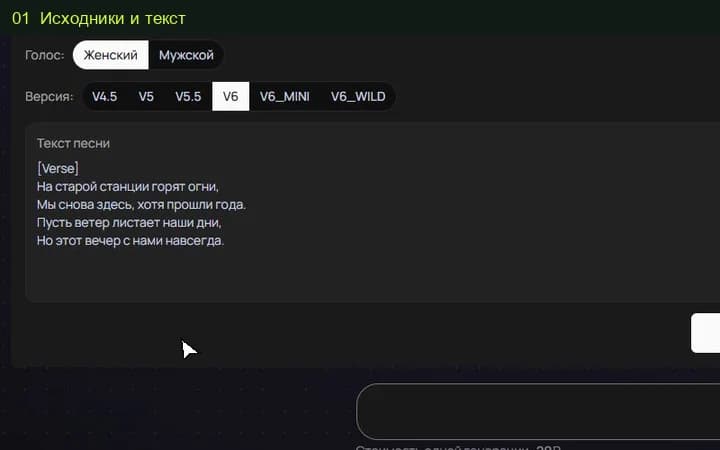
Choose an available Suno version and the intended vocal or instrumental setting. Review the price before submitting.
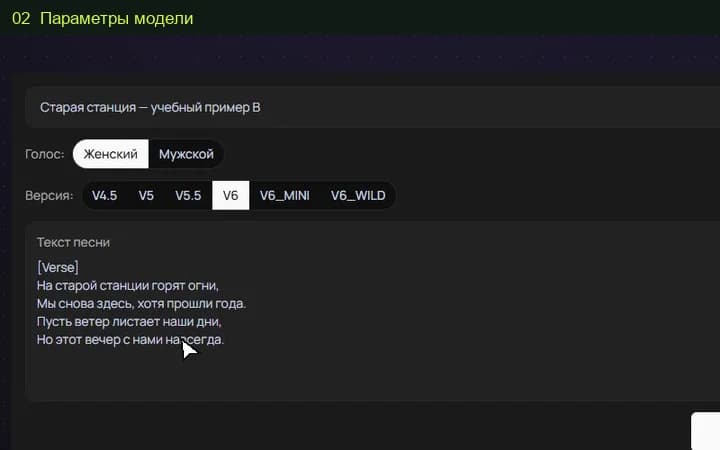
Check every section, the wording and the ending. Keep the useful draft and finish any exact timing or production edit separately.
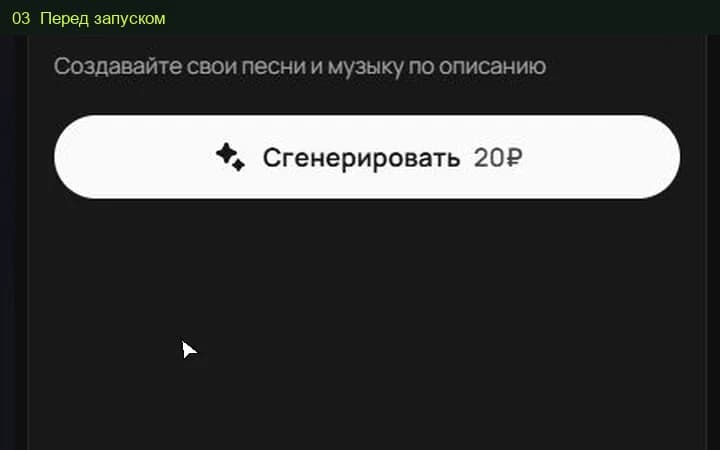
The studio shows the total for the selected settings before a media task starts. Pricing information (Russian) ↗
Use separate fields where available. Otherwise make the distinction explicit, then verify that production notes were not performed as words.
Check the options of the chosen studio version. Even with a planned structure, listen to the actual file and edit timing when the project requires an exact duration.
Select the model and settings in the studio to see the current price before submitting a media task. Different versions, output quality, duration or text length can change the total. Check your account for any available free quota; this page does not promise unlimited or free access.
An example is a starting point. Reference-led work also depends on the source files, settings and model version. Add your own permitted inputs and adapt the brief to them. Neither an original prompt nor a translated explanation guarantees an identical output.