
MOST AI · GUIDES AND WORKFLOWS
Kling 4, Seedance 2.5 and Wan 3: six first-attempt videos
Compare our original car-restoration and anime clips, their source frames, prompts, observed errors and historical generation costs.
Updated 30 October 2026 · 2 min read
On 19 October 2026, we made six videos: two scenes, each attempted once in Kling 4, Seedance 2.5 and Wan 3.0. This is a small, reproducible example of how their outputs differed, not a universal ranking or a selection of each model’s best result.
What stayed the same
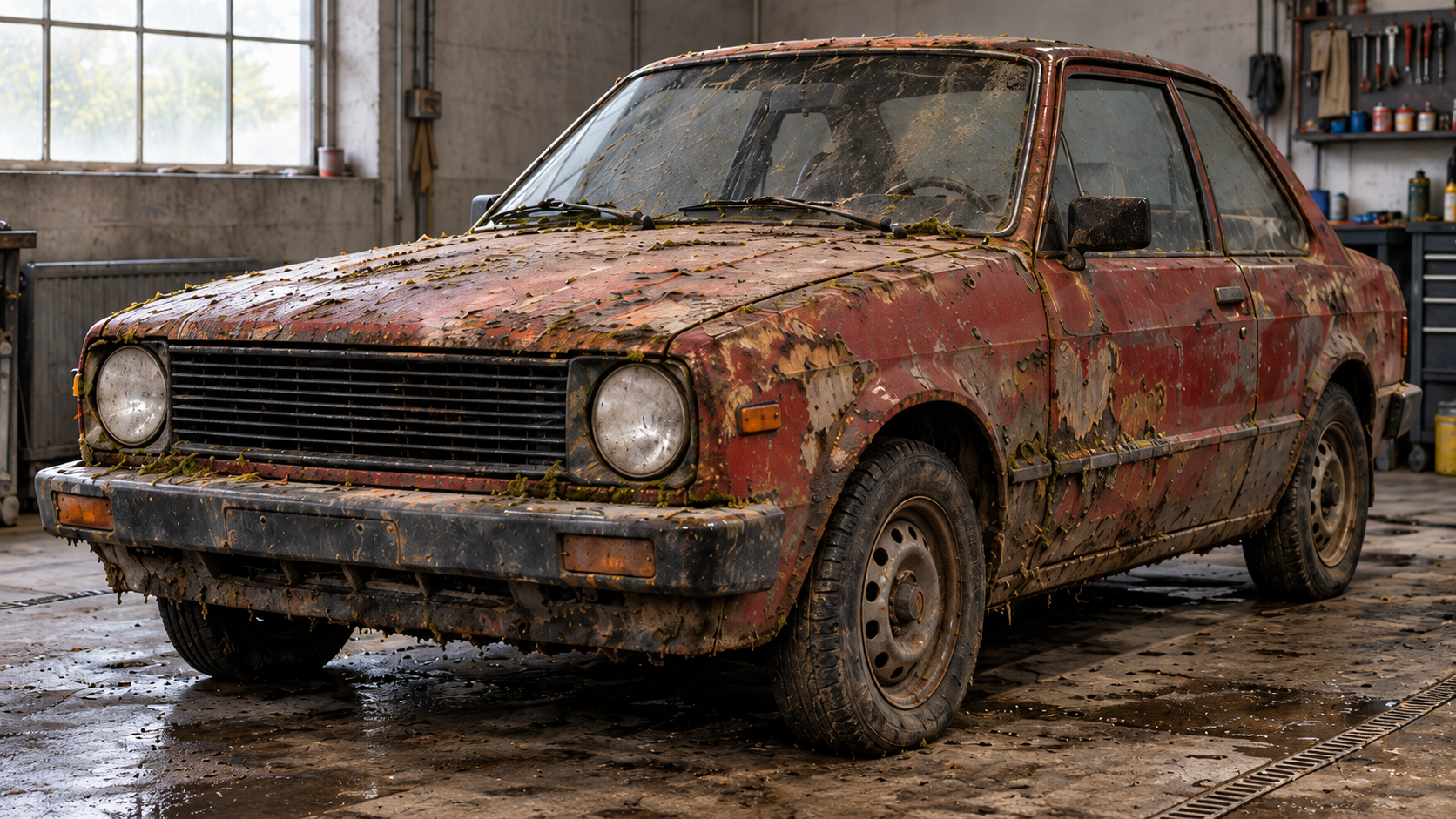
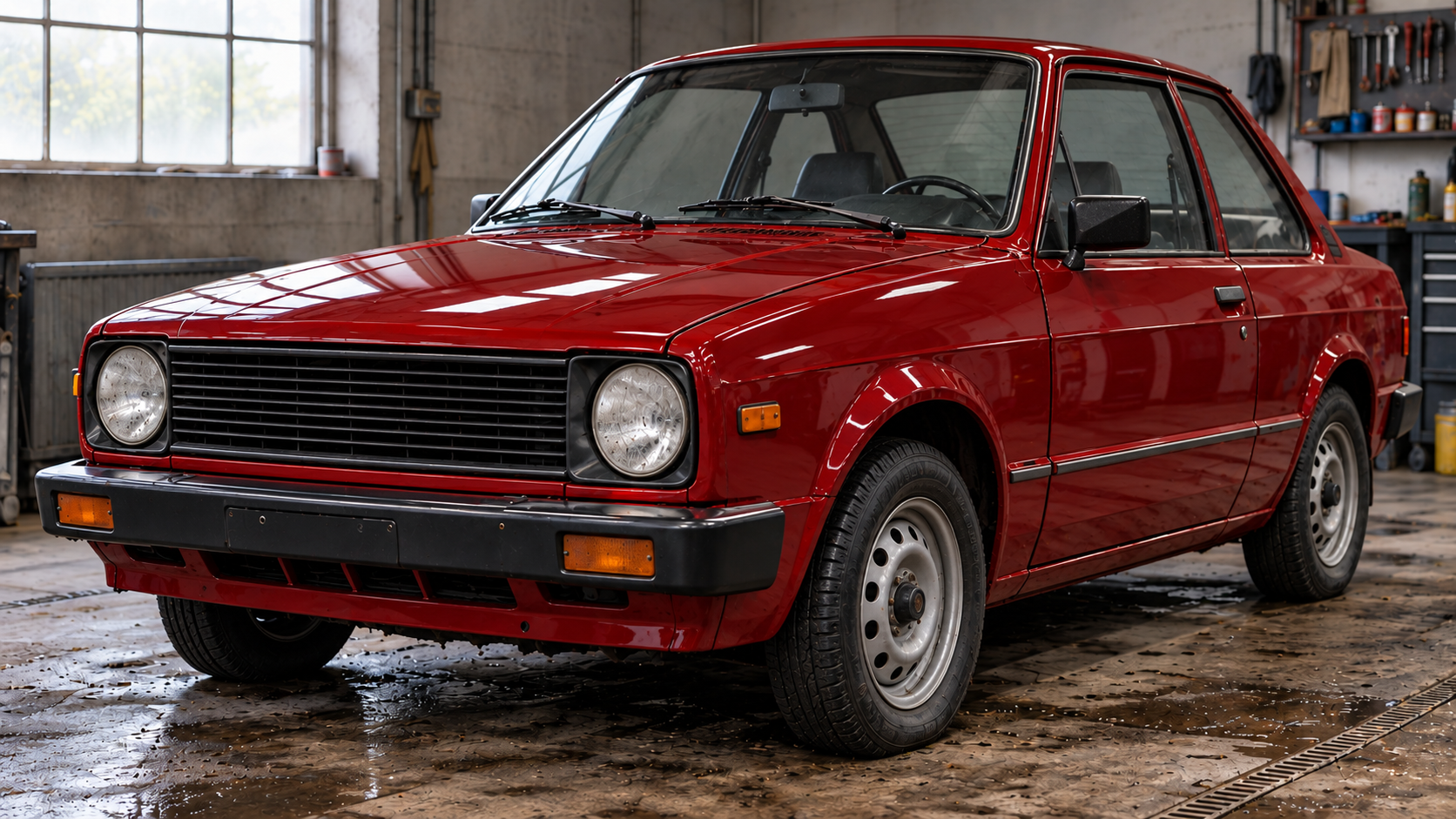
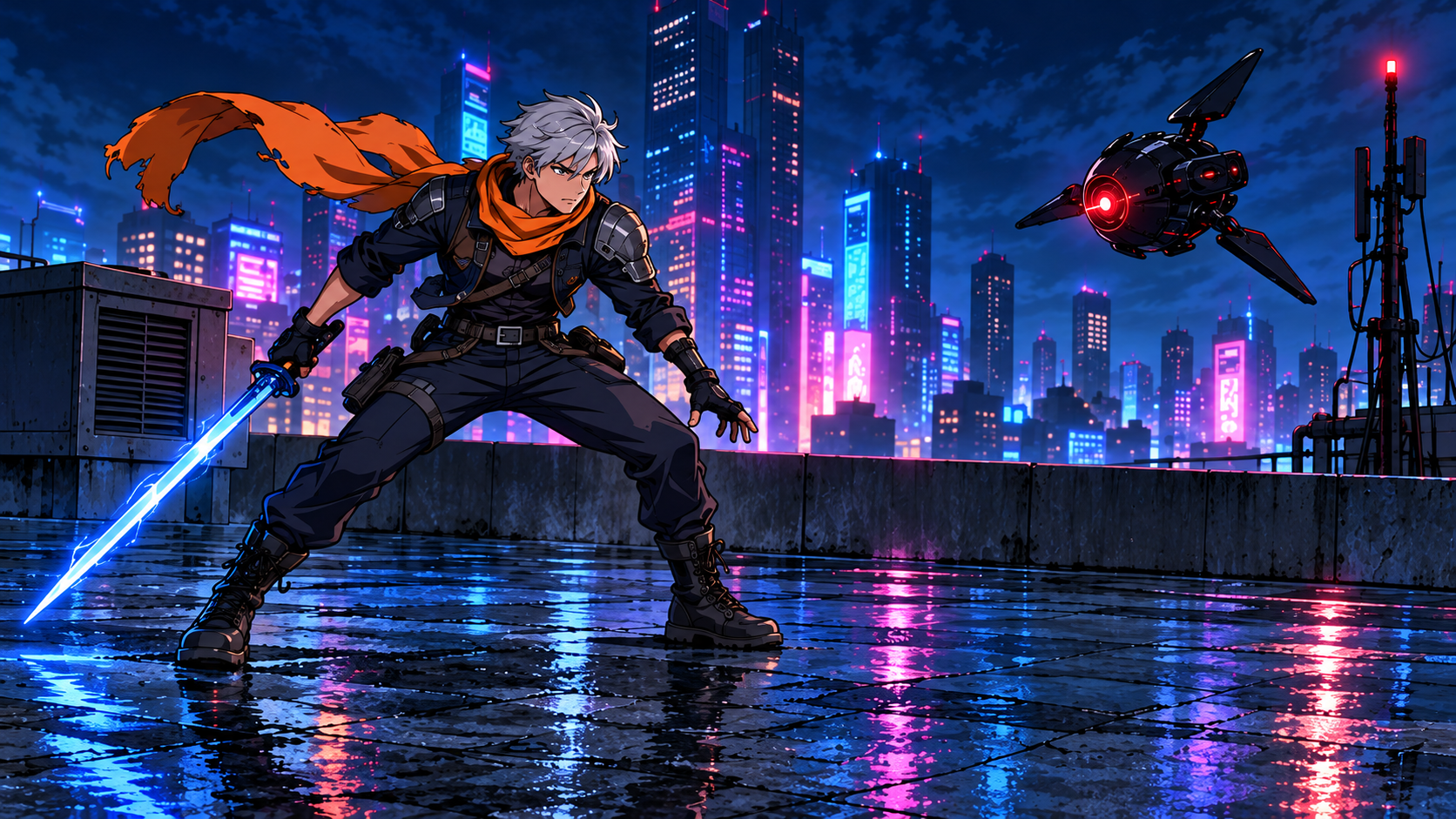
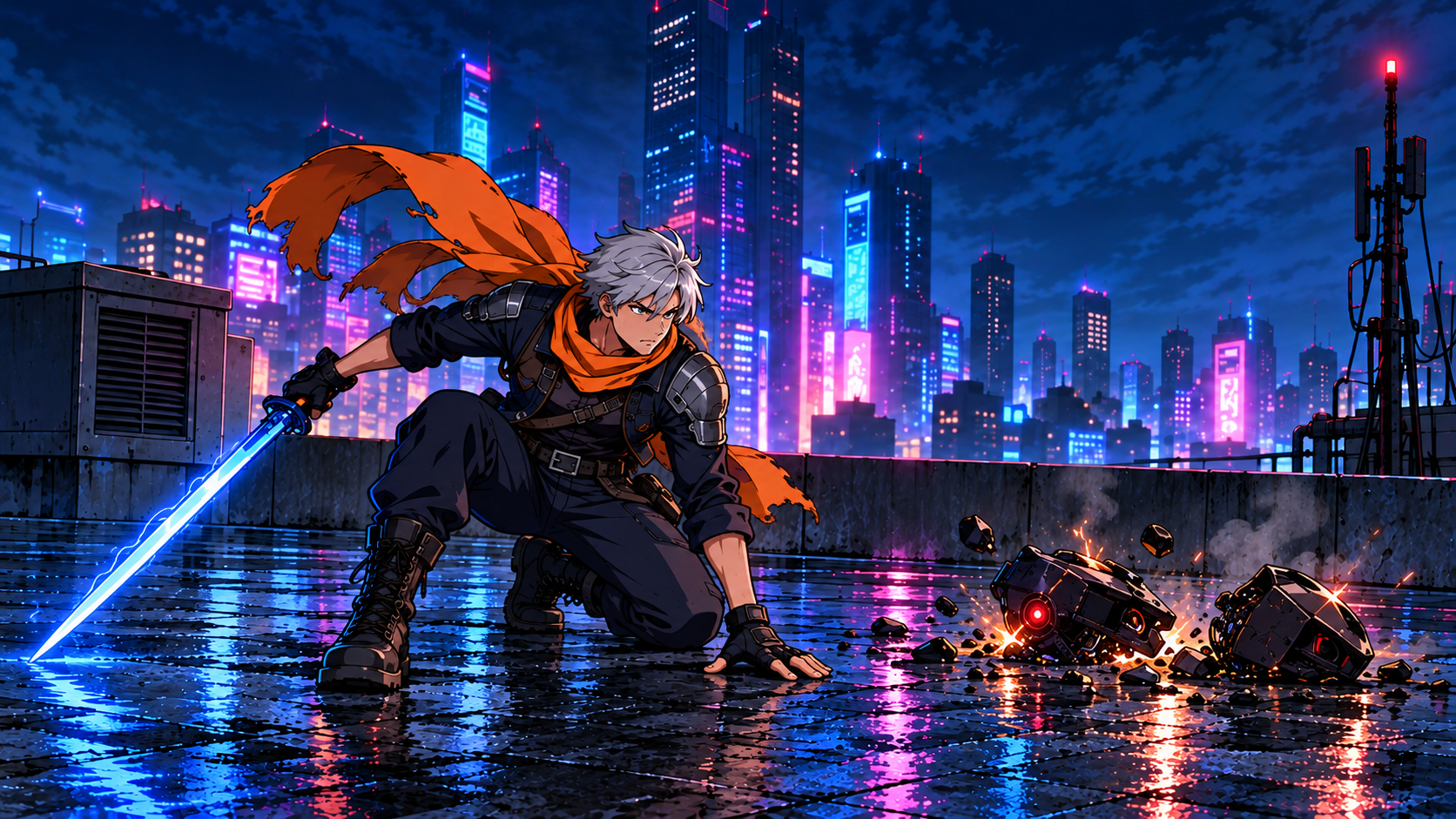
Within each scene, the models received the same prompt and the same first and last images, in the same order. The requested configuration was frames mode, ten seconds, 720p and 16:9. Four storyboard states helped plan each action, but only the first and last were supplied as input images; intermediate actions were described in the prompt.
The scenes were deliberately different: a realistic car restoration and a stylised anime rooftop fight. One attempt per model per scene is too little to estimate success rates. The original clips and full prompts below let you inspect the particular outcomes.
What these generations cost
The recorded cost of one ten-second clip was 127 RUB for Wan 3.0, 238 RUB for Kling 4 and 472 RUB for Seedance 2.5. Across two scenes, those totals were 254, 476 and 944 RUB: 1,674 RUB altogether, excluding preparation of the still images.
These are historical charges for this test on 19 October 2026. They are not current quotes or prices for every configuration. Check the selected studio form before a new attempt.
What we observed
In these outputs, Seedance 2.5 supplied more detailed anime action, but introduced painted-looking windows and headlights in the realistic car scene. Wan 3.0 cost less in this test and delivered the basic main actions in both scenes. Kling 4 kept the scenes recognisable while changing parts of the action order and framing.
Watch each complete clip before choosing a preferred version. A strong thumbnail can hide a missed action, an unstable object or an unexpected cut. Playback here is muted for visual comparison; it does not evaluate the models’ audio capabilities.
How to use the comparison
Start with the scene closest to your own task, then inspect the source images and original prompt. Check whether the defect that matters to your project actually occurs in that output. A cheaper attempt is useful only if it meets your acceptance criteria.
For your own comparison, keep the inputs and supported settings aligned, retain rejected outputs and record actual charges. Repeat enough representative scenes before drawing broader conclusions. A repeated prompt may produce a different result.
Original test clips, inputs and prompts
Recorded on 19 October 2026. These are the original six outputs and two comparison edits. Russian labels embedded in the comparison edits are retained. The players start muted; use their controls to inspect the files.
Car restoration
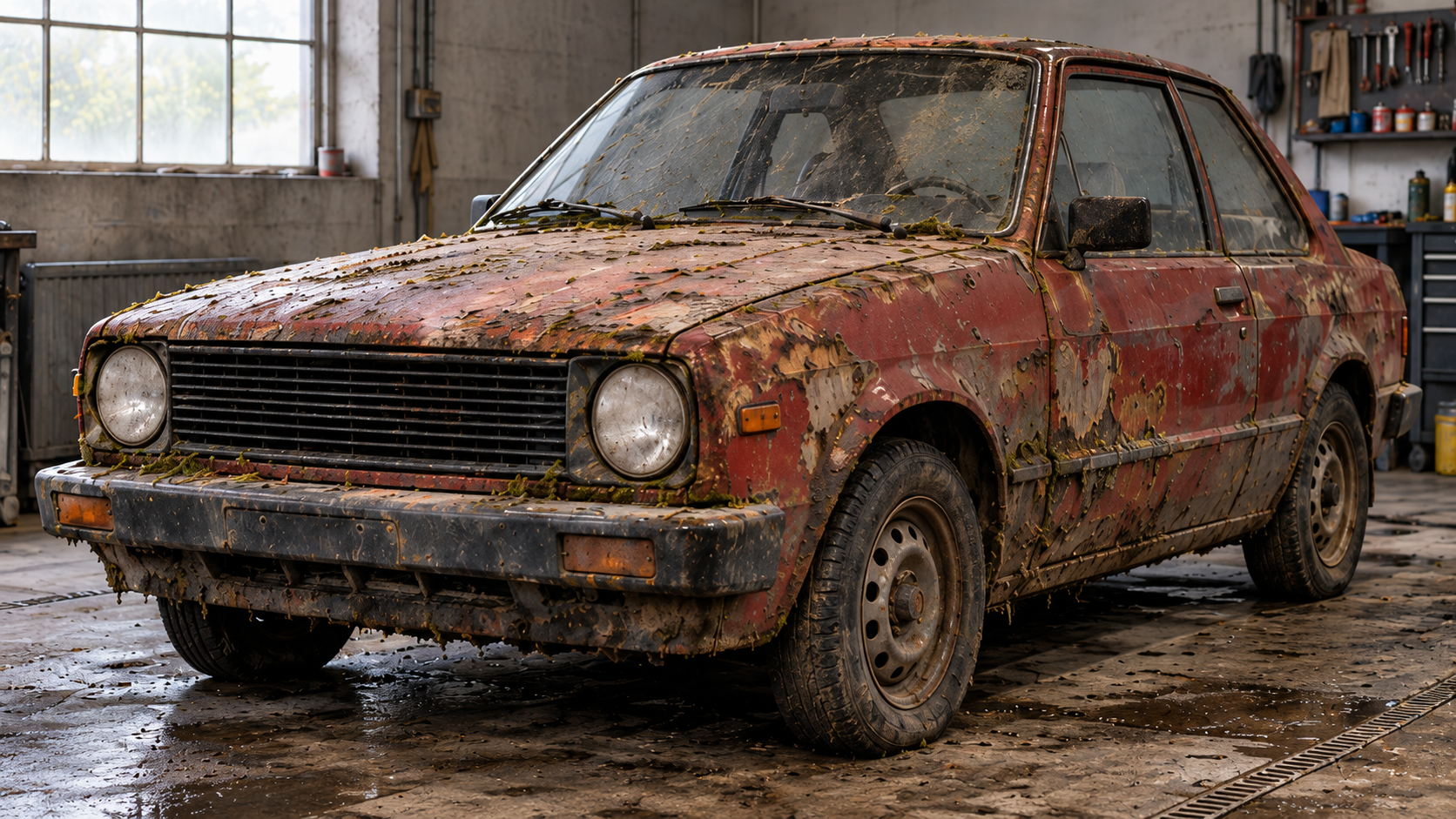
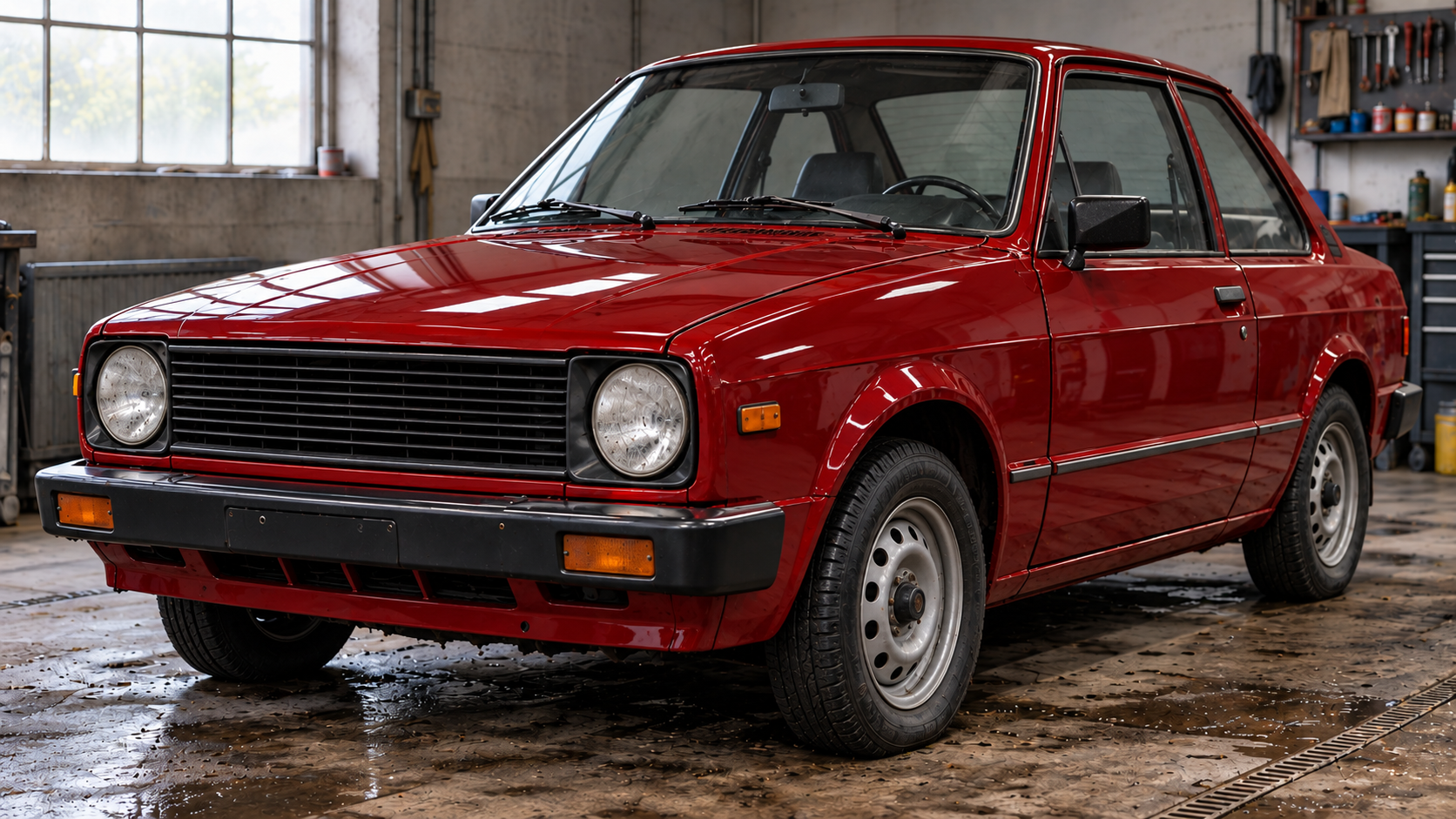
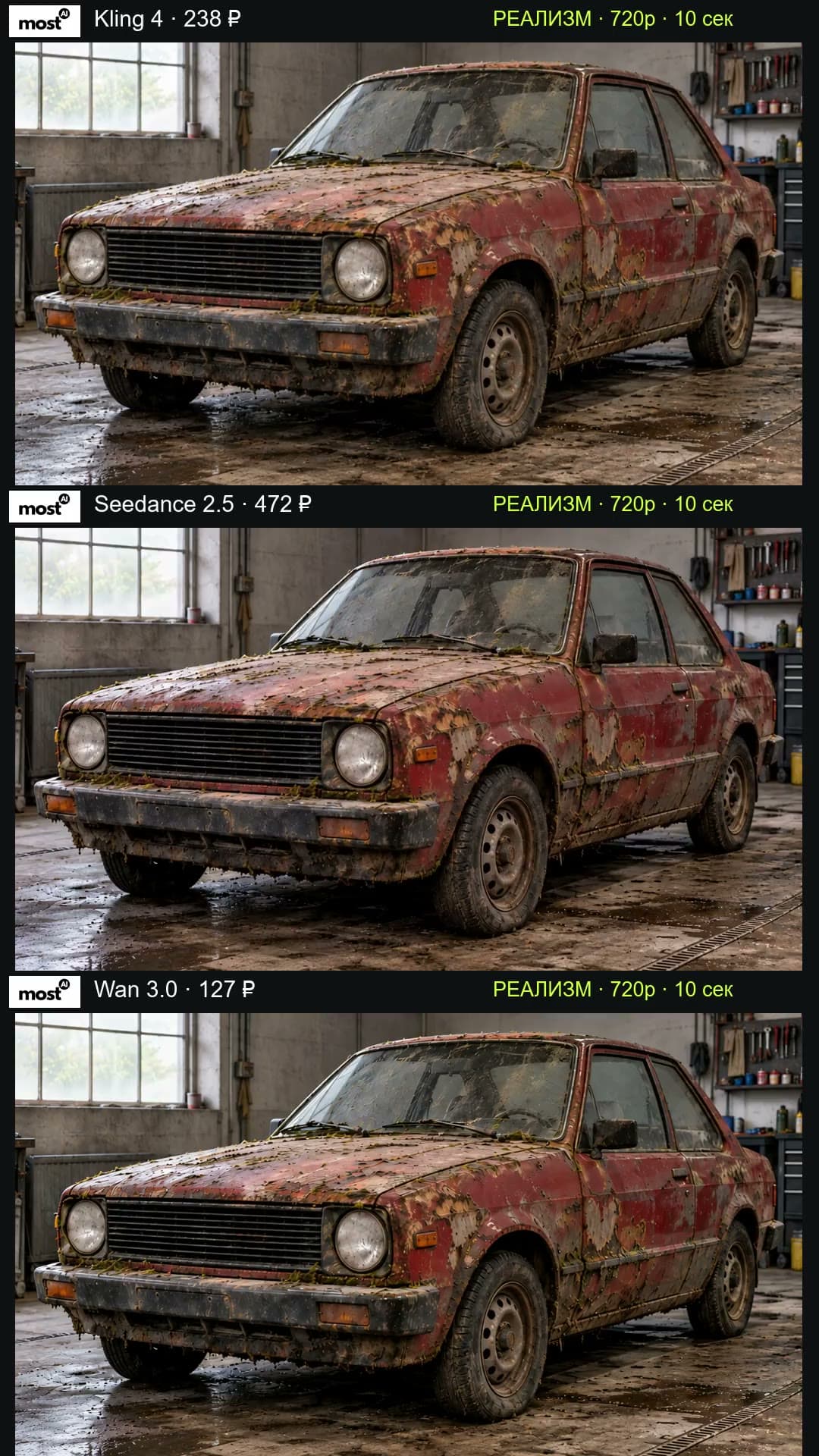
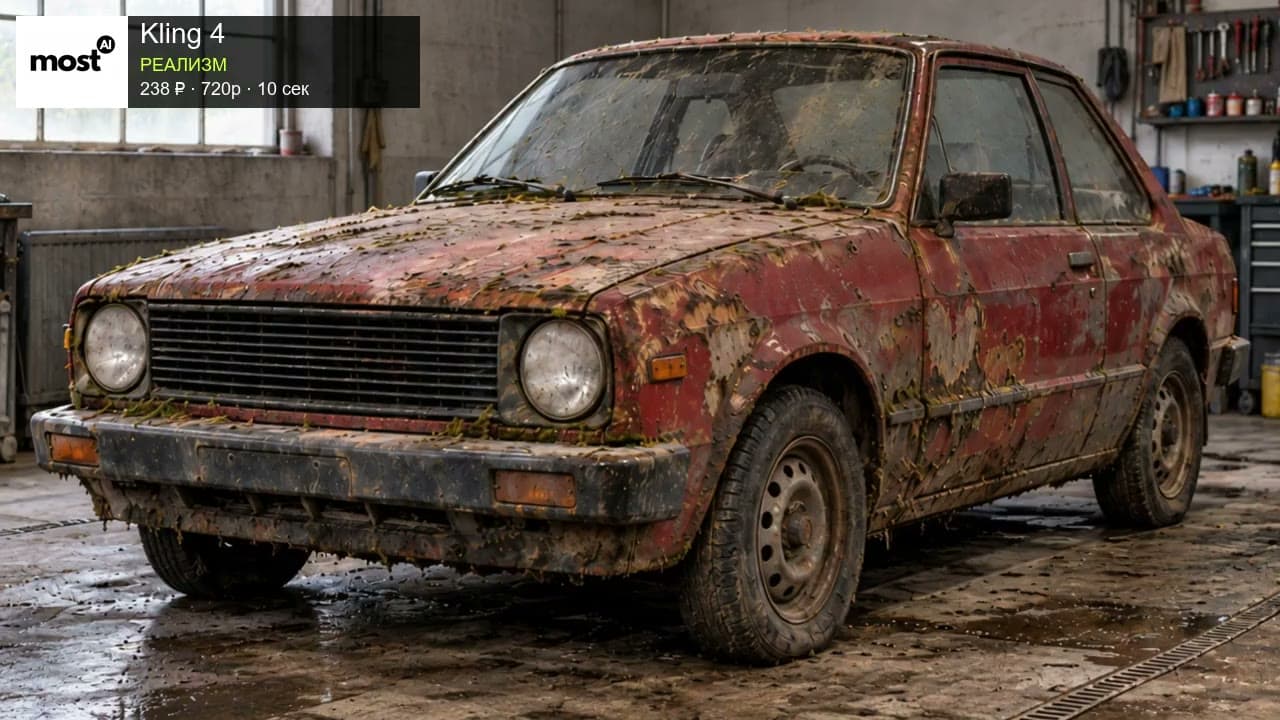
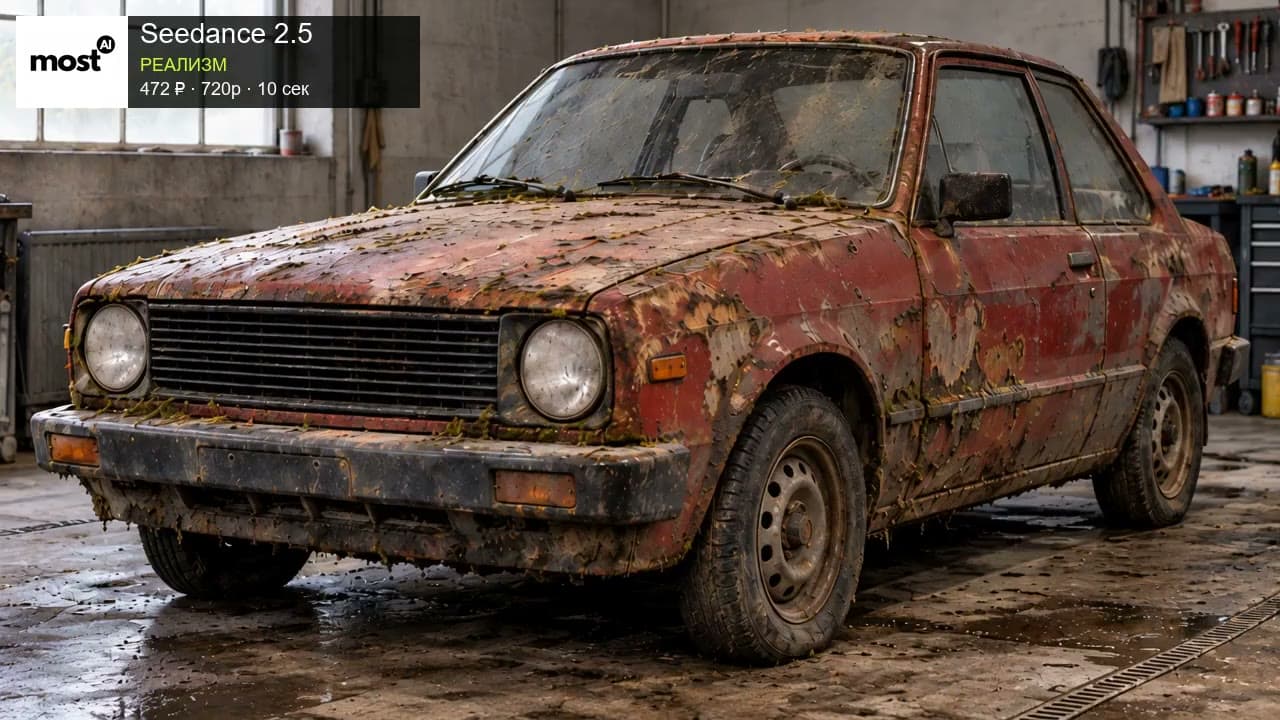
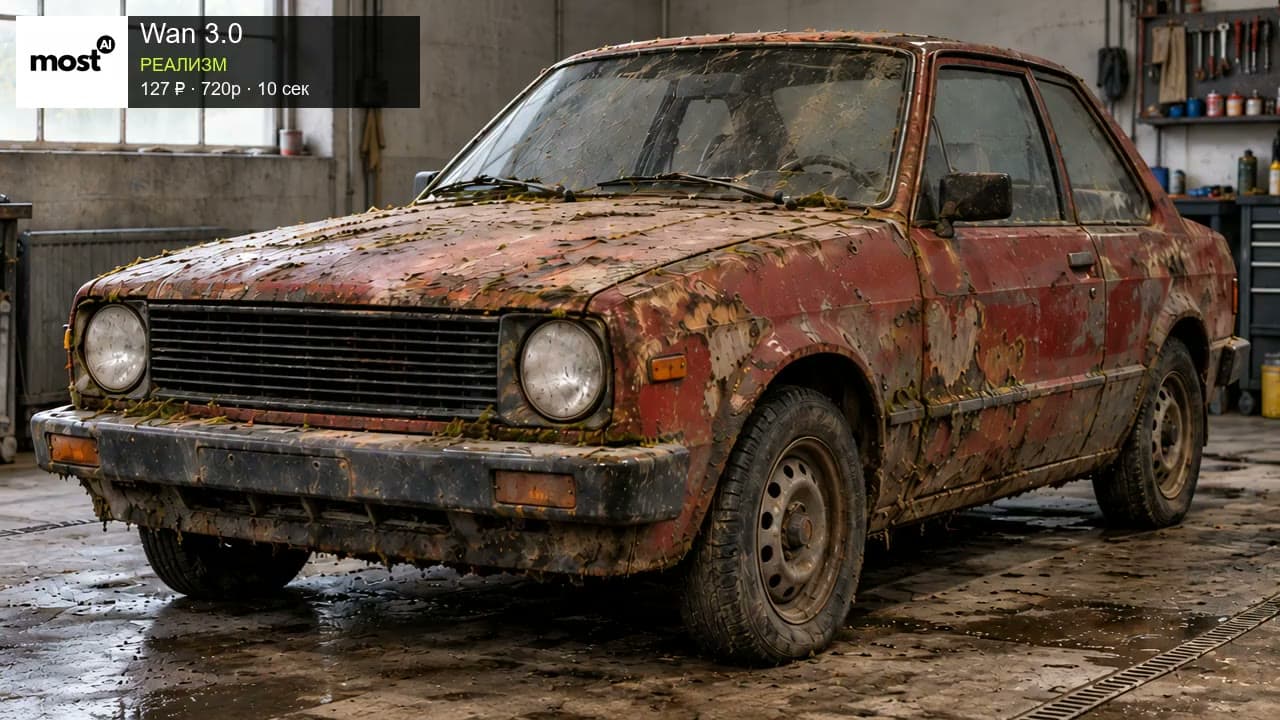
Full original English prompt
Photorealistic accelerated car-restoration timelapse, 10 seconds, one locked-off front-left three-quarter camera shot in the same modest garage. Begin exactly from the first attached image and finish at the second attached image. The same old boxy two-door compact car stays parked in the same place on its original steel wheels throughout. Preserve the body proportions, two round headlights, rectangular black grille, windows, wheel count, wheelbase and garage layout. Show a readable sequence of actual restoration actions: 0-1 seconds the dirty rusty moss-covered car; 1-4 seconds a mechanic at the right edge pressure-washes it, a visible water jet sweeps across the hood and side, white foam and dirty runoff slide down; 4-7 seconds time-compressed hands and tools sand the damaged paint, revealing several matte grey primer patches, then apply deep cherry-red paint; 7-9 seconds a gloved hand with an orbital polisher sweeps across a panel, producing a glossy finish; 9-10 seconds tools and hands leave, revealing the restored glossy cherry-red car. The work is deliberately time-compressed, while all intermediate stages remain visibly distinct. Water and foam obey gravity, tires remain in contact with the garage floor. The camera and background remain fixed. No cuts, camera movement, car swap, melting bodywork, new rims, floating parts, captions, logos or split screens. No dialogue or music.
Anime rooftop action
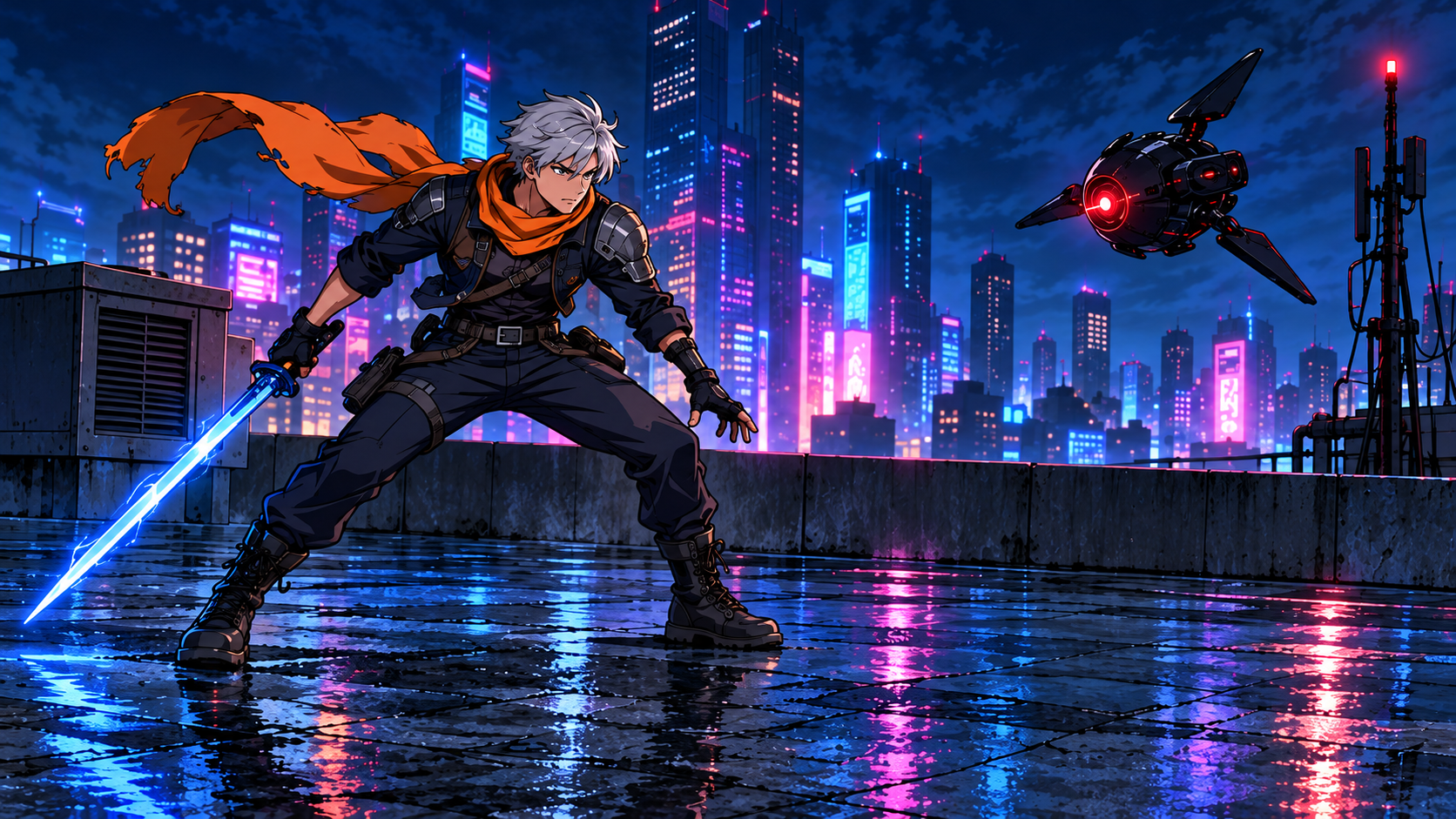
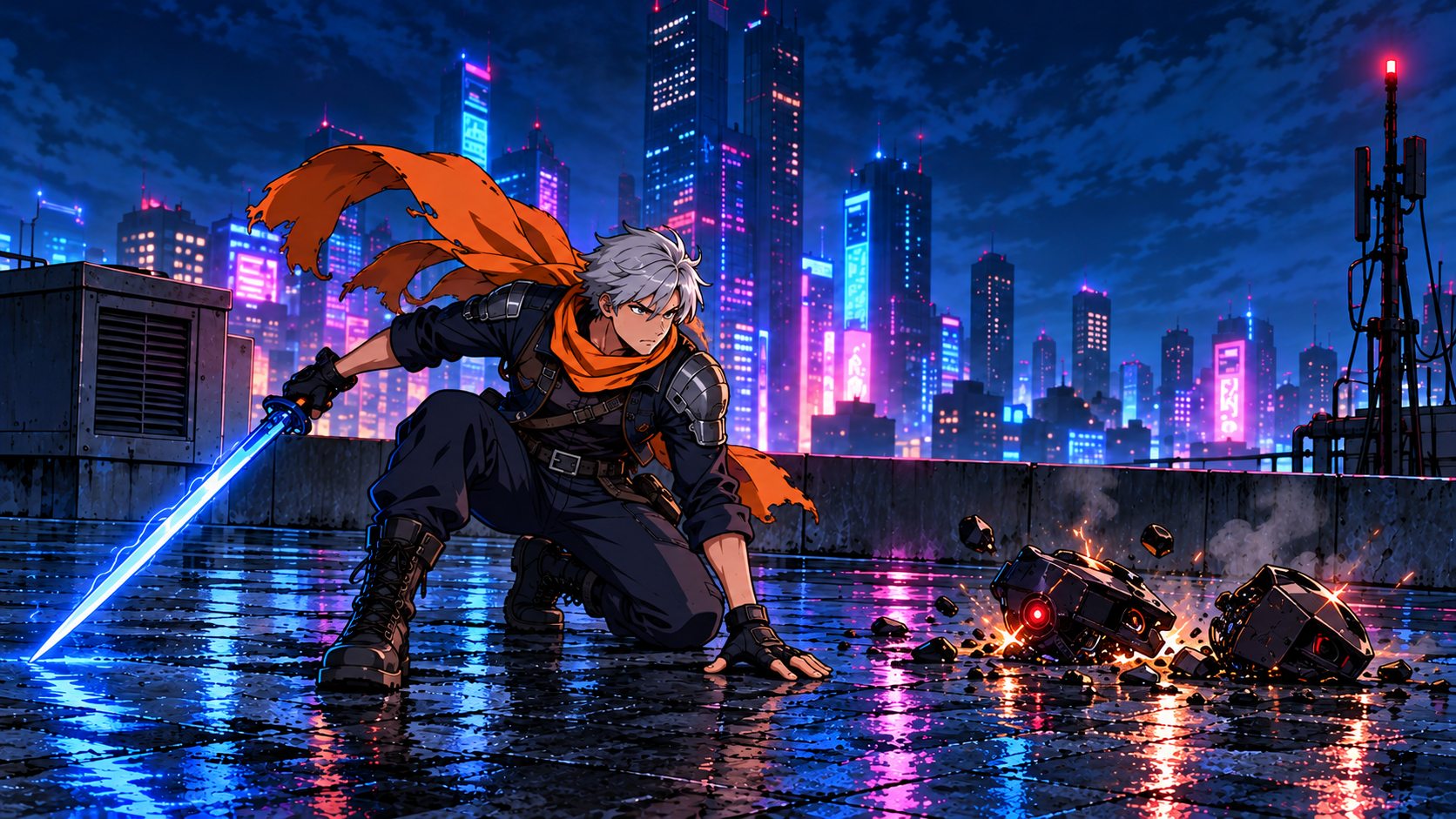
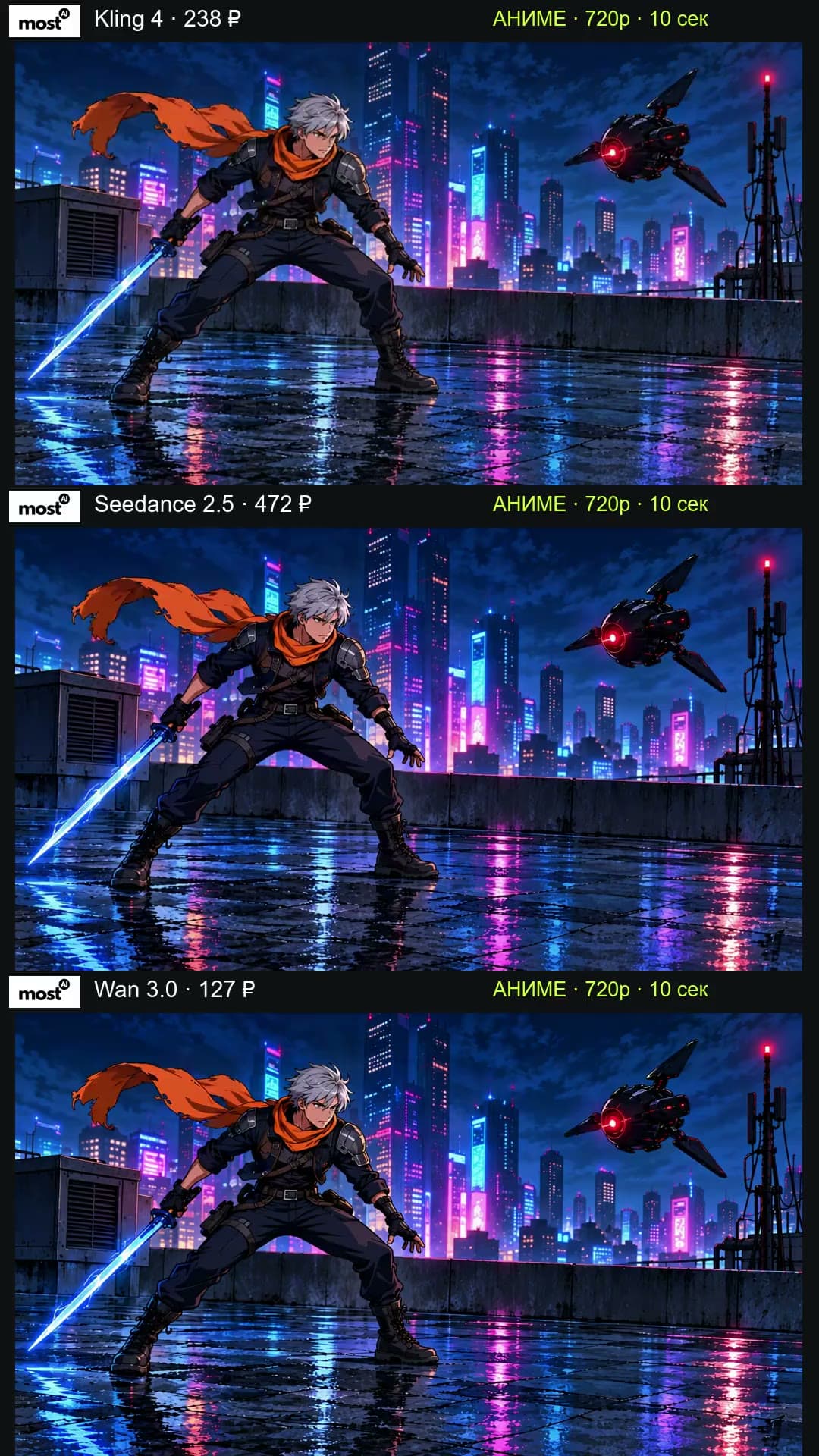
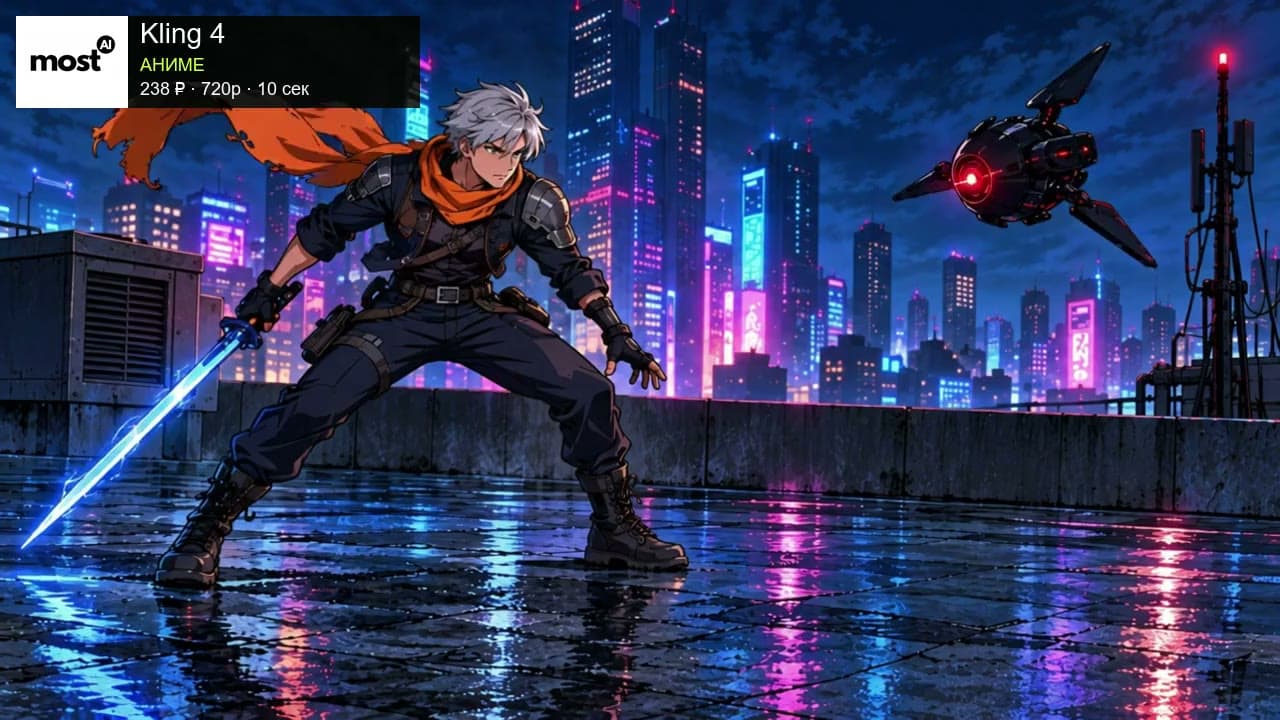
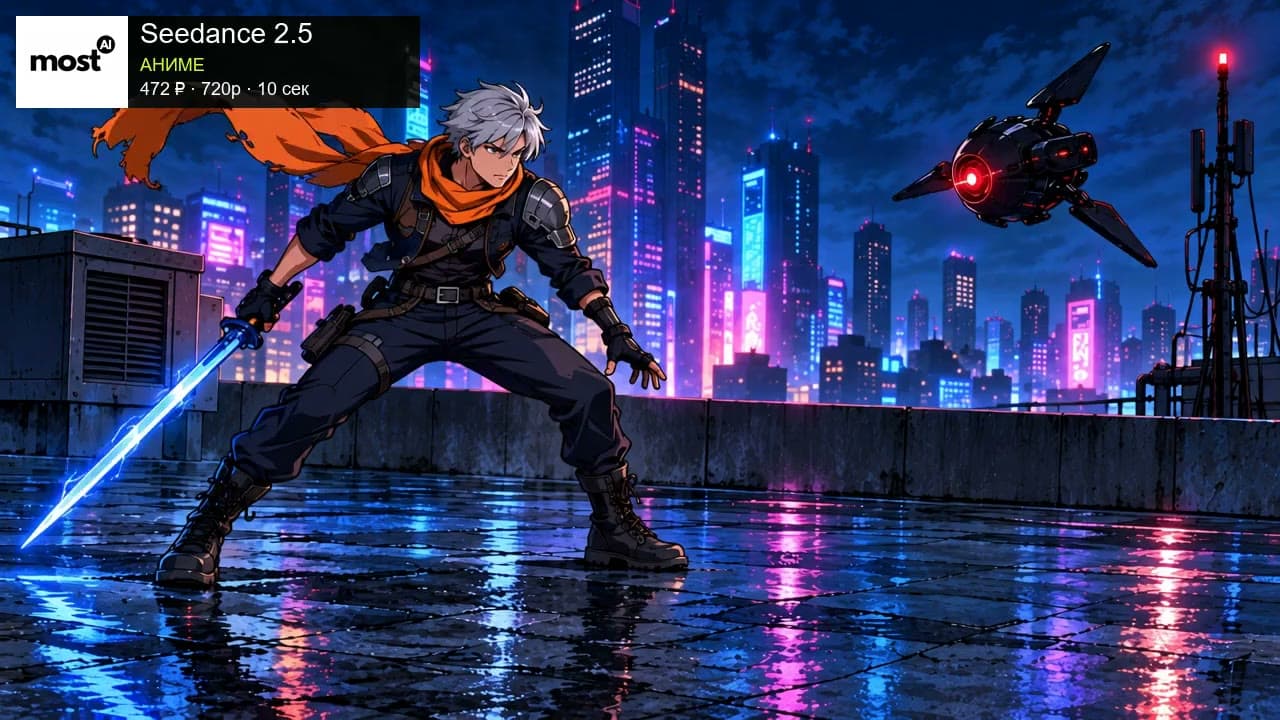
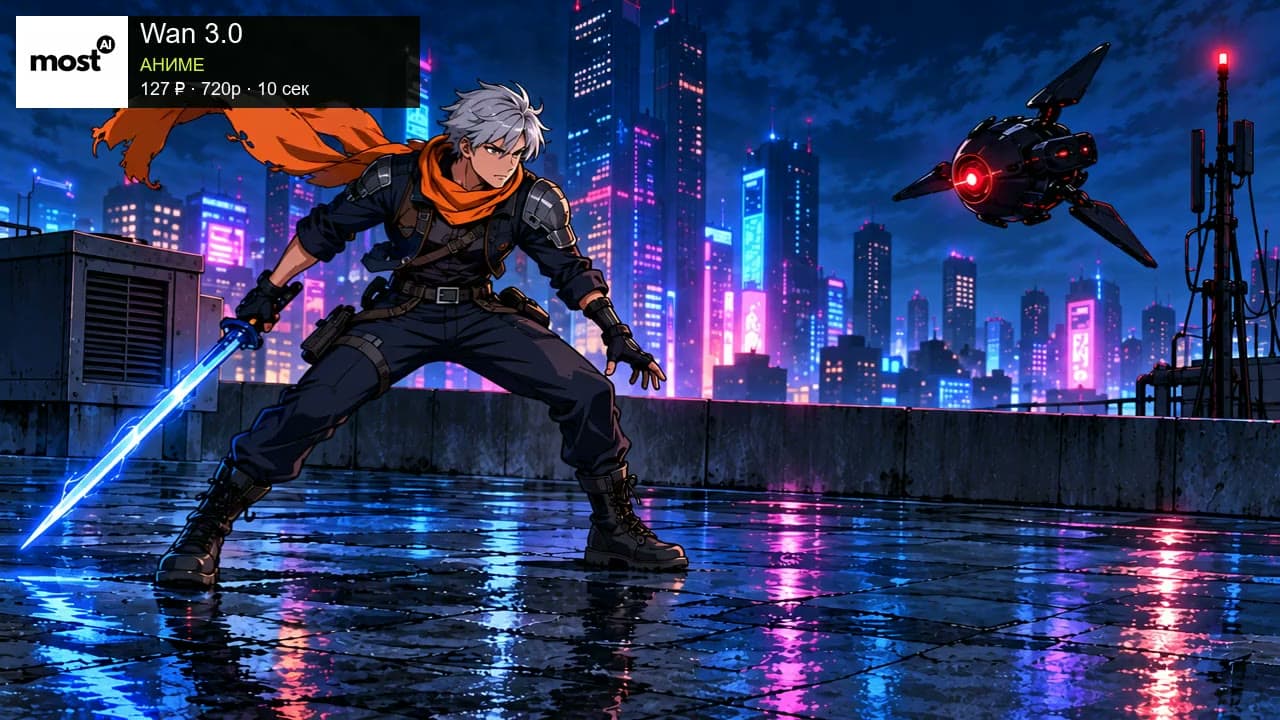
Full original English prompt
Original 2D cel-anime action sequence, 10 seconds, one continuous wide shot on the wet cyberpunk rooftop at night. Start exactly from the first attached image and finish at the second attached image. Keep the same adult male courier with short silver hair, orange scarf, navy tactical outfit and black boots; his blue energy blade stays in HIS RIGHT HAND throughout. Exactly one black three-fin combat drone with a red central eye starts hovering to his right. Timing: 0-1 seconds the hero braces and watches the drone, scarf fluttering; 1-4 seconds the drone fires one thin red energy beam and the hero visibly pushes off the roof with his legs, leaps sideways to dodge it, both feet briefly airborne; 4-7 seconds he turns his torso in midair and swings his right-hand blue blade through the drone, with one clear contact, a curved blue slash trail and orange mechanical sparks, splitting the drone into two main pieces; 7-9 seconds gravity brings him down and the drone pieces fall to the roof on his right; 9-10 seconds he settles in the exact final low landing pose, right boot, left knee and open left palm visibly contacting the wet roof, sword still in his right hand pointing down to viewer left. Show the full sequence in order: launch, dodge, strike, debris falling, landing. Preserve the hand-drawn ink outlines and flat cel shading, character identity, limb count, roof geometry, left vent, right antenna and skyline. Keep the hero's whole body and the drone interaction visible in the fixed wide camera, no cuts or zoom. Water ripples and tiny splashes follow ground contact. No photorealism, 3D rendering, character duplication, sword switching hands, teleporting, floating landing, extra drones, blood, human injury, captions, logos, dialogue or music.
Choose a relevant model
Use the current model and settings in the studio. The total cost of a usable result includes attempts, source preparation and any finishing edits.
Continue reading
Getting started in Most AI: balance, payments and history
Find the right model, review its settings and cost, and keep the files and notes needed to evaluate a first result.
Choosing models in the current Most AI catalogue
Understand model families, versions and task-specific inputs before choosing an image, video, music or speech workflow.
How to choose an all-in-one AI platform
A practical checklist covering exact model access, inputs, cost, examples, privacy terms and the route from a landing page to a usable result.